Timeless Character: Using Aniline Leather Textures
There is a specific depth to materials that have lived a life. Aniline leather, with its transparent dye and natural markings, brings a tactile history to any surface it touches. It is not just a background; it is a story of grain, pull-up effect, and subtle color variations that synthetic materials struggle to replicate. When you incorporate Aniline Leather Texture Backgrounds into your workflow, you are importing that sense of heritage and quality. This particular set, featuring antique, distressed, and weathered styles, offers a versatility that spans from rugged masculine branding to refined, high-end editorial design. It provides the visual weight needed to anchor complex layouts while adding an organic warmth that cold, digital spaces often lack.
The Visual Language of Aniline Leather
Understanding the material is key to using the asset effectively. Aniline leather is distinct because it is dyed exclusively with soluble dyes without covering the surface with a topcoat or polymer. This means the natural surface of the hide, including its pores and visible texture, remains intact. The result is a material that feels incredibly soft and looks richly authentic.
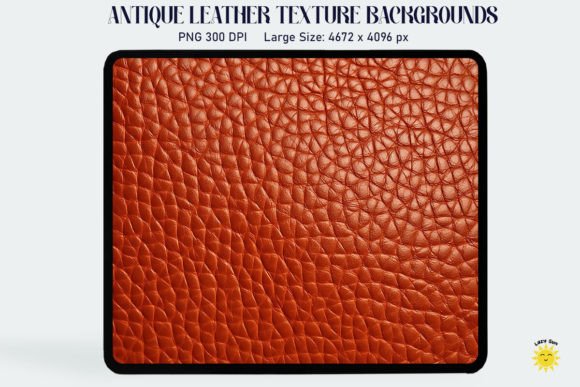
The Aniline Leather Texture Backgrounds Antique Leather Texture variation captures the essence of aged hide. You will notice darker creases in the folds and a patina that suggests years of use. This "antique" quality is invaluable for projects that need to communicate durability, tradition, or established trust. Conversely, the Classic Leather Backdrops offer a cleaner, more uniform surface. These are perfect for corporate stationery or luxury packaging where the texture needs to be felt rather than shouted. The grain remains visible, providing a sophisticated canvas that prevents flat white space from dominating your design.
Then there are the more expressive options: Distressed Leather Textures and Weathered Leather Backdrops. These files showcase the rugged side of the material. Scuffs, scratches, and uneven color distribution define the aesthetic. These textures are not "damaged" in a negative sense; rather, they possess a character that implies resilience. They are ideal for vintage logos, music posters, or any creative project that requires a gritty, tactile edge.
Practical Applications for Designers and Creators
One of the most common mistakes in digital design is using textures that are too low-resolution for print or too small for web scaling. This specific collection addresses those pain points immediately. With a size of approximately 4672 x 4096 px at 300 DPI, these are high-resolution assets. You can utilize them for large-scale printing—think event banners, backdrops for photography studios, or full-page magazine spreads—without worrying about pixelation or banding.
For brand identity and logo design, the Nostalgic Leather Backdrops serve as an excellent grounding layer. If you are designing a logo for a coffee shop, a men’s grooming brand, or a bespoke tailor, placing your vector typeface over a classic leather grain instantly elevates the perception of the brand. It suggests craftsmanship. In packaging design, these textures can simulate the look of a product box or a book cover, giving customers a preview of the tactile experience before they even hold the product.
Web design and social media graphics also benefit greatly from these assets. A subtle, desaturated leather texture can replace a standard solid color background on a website header to add depth without distracting from the text. For social media, particularly platforms like Instagram or Pinterest, a distressed leather texture can serve as a consistent "theme" for quotes, testimonials, or product features. It adds a level of professionalism that generic stock photos often miss. Furthermore, for scrapbooking and digital invitations, the warmth of the texture creates an inviting, personal atmosphere that feels handmade.
Integrating Texture with Typography
When pairing fonts with these backgrounds, contrast is your best friend. Because aniline leather is organic and irregular, your typography should often lean toward the structured or the clean. A bold sans serif font creates a striking modern contrast against the vintage grain of an antique texture. The geometric precision of the letters highlights the natural curves of the leather.
Alternatively, a sophisticated serif font works beautifully for a luxury aesthetic. Think of a high-end watch advertisement; the serifs bridge the gap between the digital text and the physical material of the watch strap. However, be cautious with script fonts or handwritten fonts. If the leather texture is too busy or high-contrast, a thin script can get lost, hurting readability. If you must use a script, ensure it is a premium font with high x-height and clear legibility, and perhaps place a semi-transparent shape or layer between the text and the background to ensure the words pop.
Visual hierarchy is also influenced by the texture's "noise." Since leather has its own grain, busy elements can compete with it. Use generous white space (or negative space) in your layouts. Allow the texture to breathe around your text blocks. This ensures that the background enhances the content rather than overwhelming it.
Technical Considerations and Workflow
The files provided are delivered in PNG format. This is a standard, versatile format that preserves the high quality of the image and supports transparency if needed, though these specific textures are likely full-bleed backgrounds. As noted in the product details, these are not SVG files and are not layered for cutting machines. They are raster-based design assets intended for photo editing software like Adobe Photoshop, Illustrator (for clipping masks), Canva, or Affinity Photo.
Because the dimensions are large (4672 x 4096 px), they offer flexibility. You can crop in tight on a specific area of the grain to create a unique pattern, or scale the image down for web use to ensure fast load times while maintaining crispness. The 300 DPI resolution ensures that if you do print the texture, the output will be professional-grade. Always remember to check your color settings; while the files are standard RGB/CMYK compatible, the warmth of leather tones can shift slightly depending on your monitor calibration or printer profile.
When unzipping the files, ensure you have a stable extraction tool. Once extracted, you can drag and drop these PNGs into your canvas. For graphic design projects, try experimenting with blending modes. "Multiply" or "Overlay" can blend the leather grain with underlying colors to create custom colorways—imagine a deep navy leather or a rich burgundy texture derived from the original file.
Choosing the Right Mood for Your Project
Not every leather texture fits every mood. The Distressed Leather Textures carry a sense of urgency and ruggedness. They are excellent for adventure brands, motorcycle clubs, or vintage automotive themes. They speak of road trips and hard work. On the other hand, the Classic Leather Backdrops speak of boardrooms, libraries, and luxury. They are the visual equivalent of a well-maintained briefcase.
Before selecting your texture, define the brand perception you are aiming for. Is it modern and edgy? Go for a texture with high contrast and sharp grain. Is it soft and approachable? Look for the smoother, "pull-up" style aniline textures where the color lightens at the stretching points. By aligning the texture's personality with your project's goals, you ensure consistency across all touchpoints, from the web design to the printed business card. This thoughtful approach transforms a simple background file into a strategic component of your brand identity